Need help.
Transferring funds from AU to Paasa
Unable to understand what to add in receiver's personal details.
Is it going to be .
Interactive Broker's
Or my pasa account details
Need help.
Transferring funds from AU to Paasa
Unable to understand what to add in receiver's personal details.
Is it going to be .
Interactive Broker's
Or my pasa account details
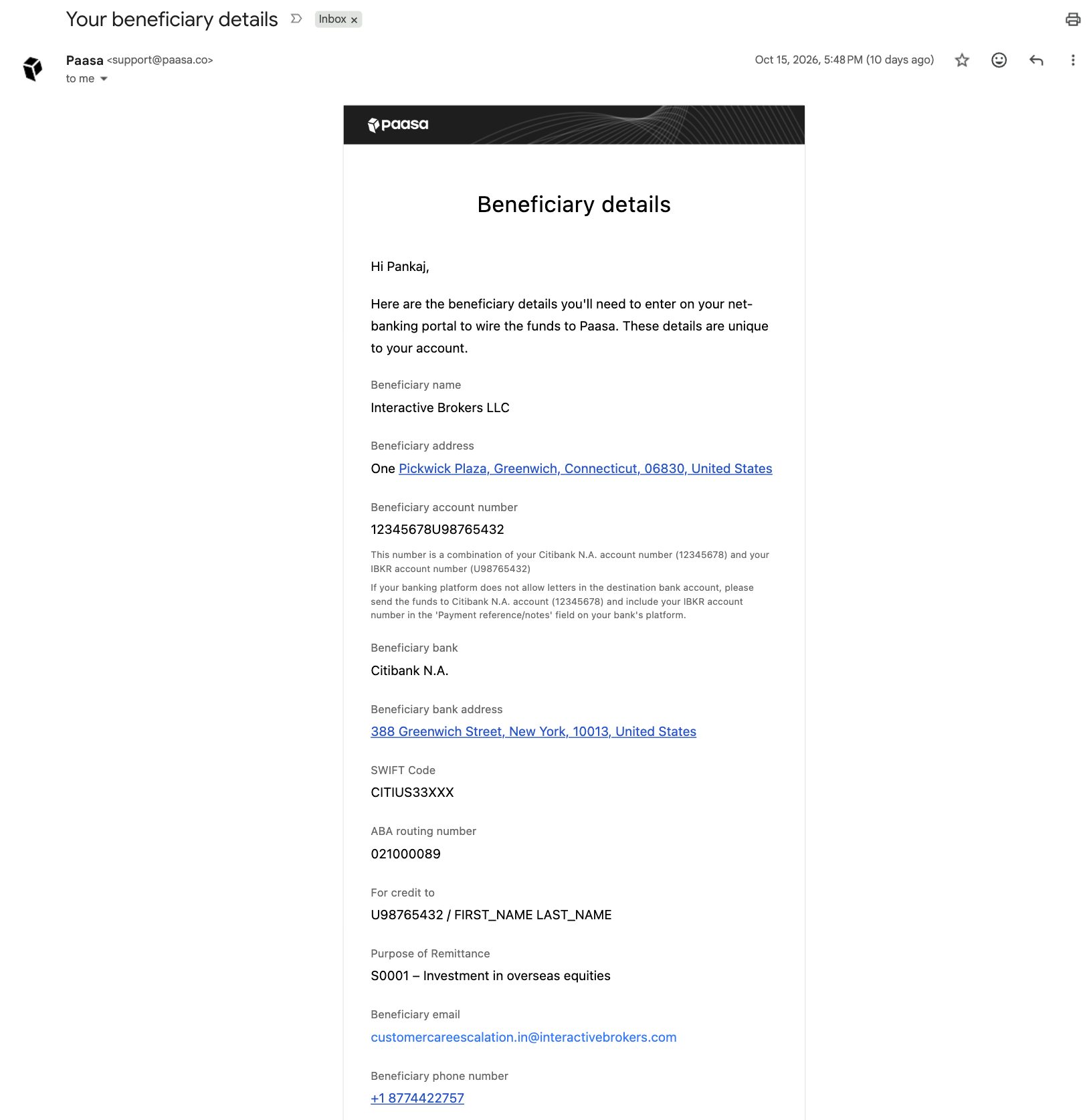
In the Paasa app -> Go to the profile section -> Click on the broker account details -> Click on Share details to your email
In the registered email, you will get details like the following:
Beneficiary name: Interactive Brokers LLC
Beneficiary address: One Pickwick Plaza, Greenwich, Connecticut, 06830, United States
Beneficiary account number:12345678U98765432

Beneficiary bank: Citibank N.A.
Beneficiary bank address: 388 Greenwich Street, New York, 10013, United States
SWIFT Code: CITIUS33XXX
ABA routing number: 021000089

For credit to: U98765432 / FIRST_NAME LAST_NAME

Purpose of Remittance: S0001 – Investment in overseas equities

Beneficiary email: [email protected]
Beneficiary phone number: +1 8774422757
Beneficiary Account number is a combination of your Citibank N.A. account number (12345678) and your IBKR account number (U98765432). If your banking platform does not allow letters in the destination bank account, please send the funds to the Citibank N.A. account (12345678) and include your IBKR account number in the 'Payment reference/notes/Swift remarks' field on your bank's platform.
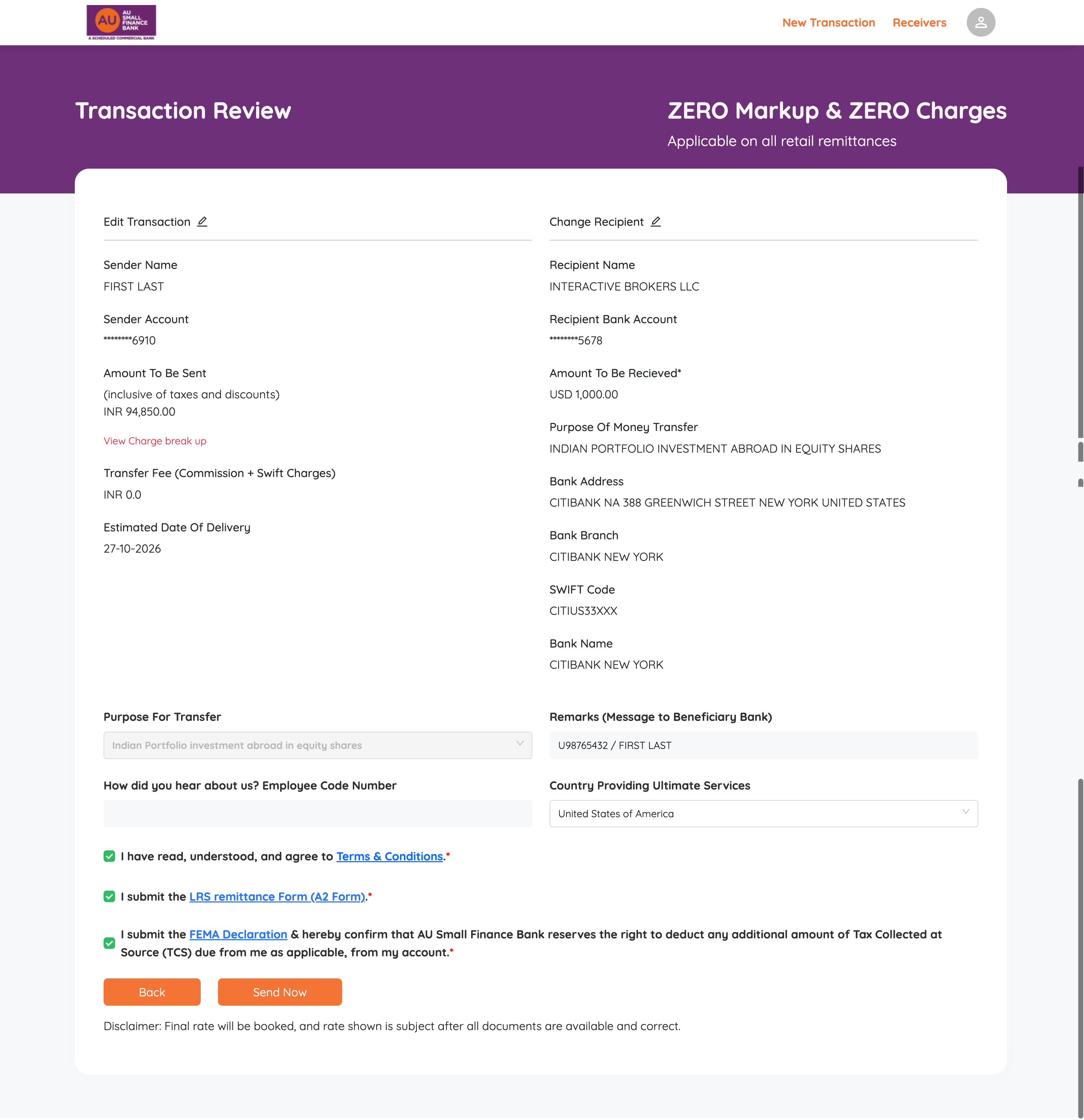
Enter only the numeric part into the designated "Account Number" field. Then, in the "Remarks (Message to Beneficiary Bank)" or SWIFT instructions section, explicitly write your full account string (e.g., U1234567) along with your full name. This ensures the receiving bank credits the correct ledger.
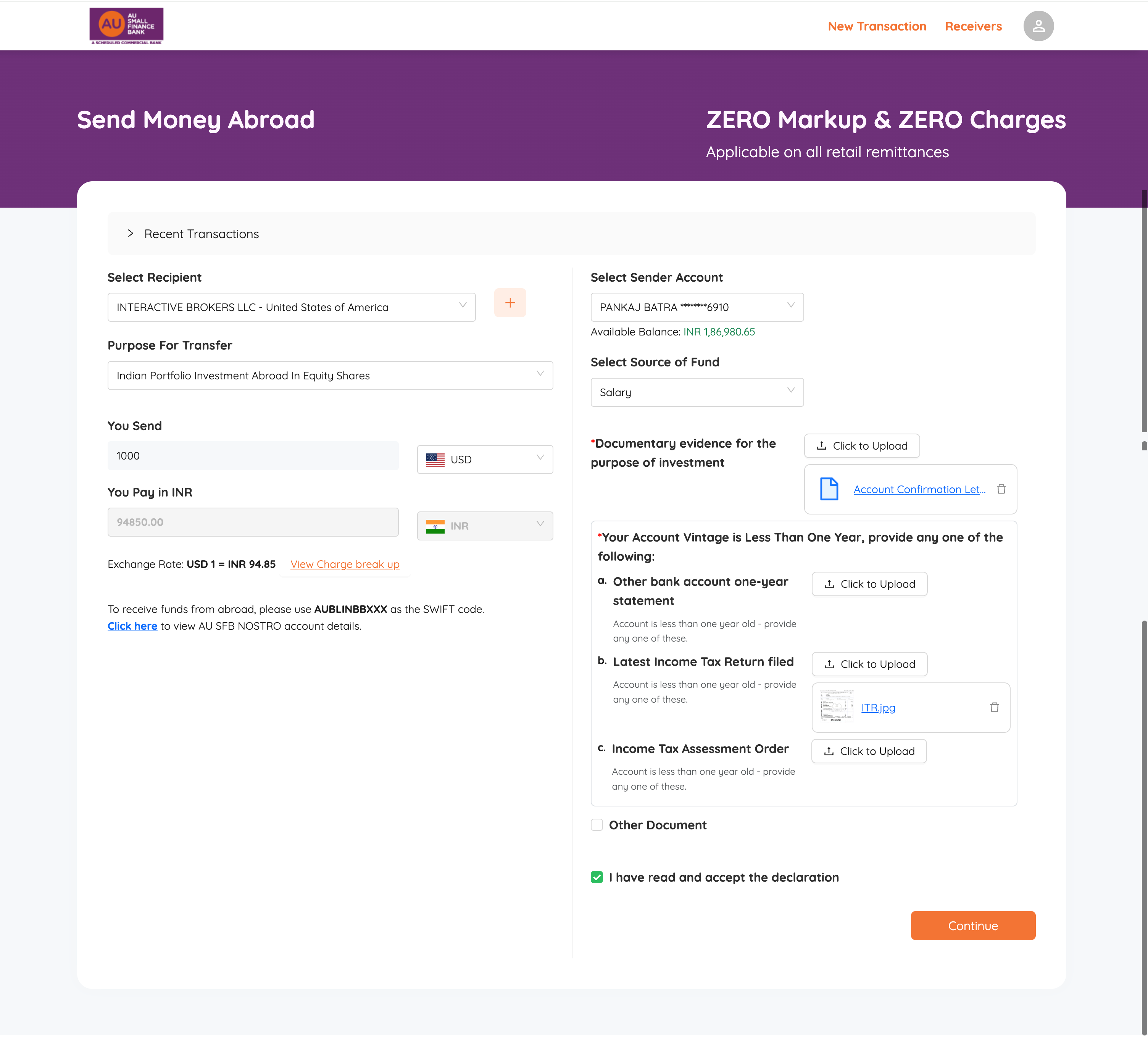
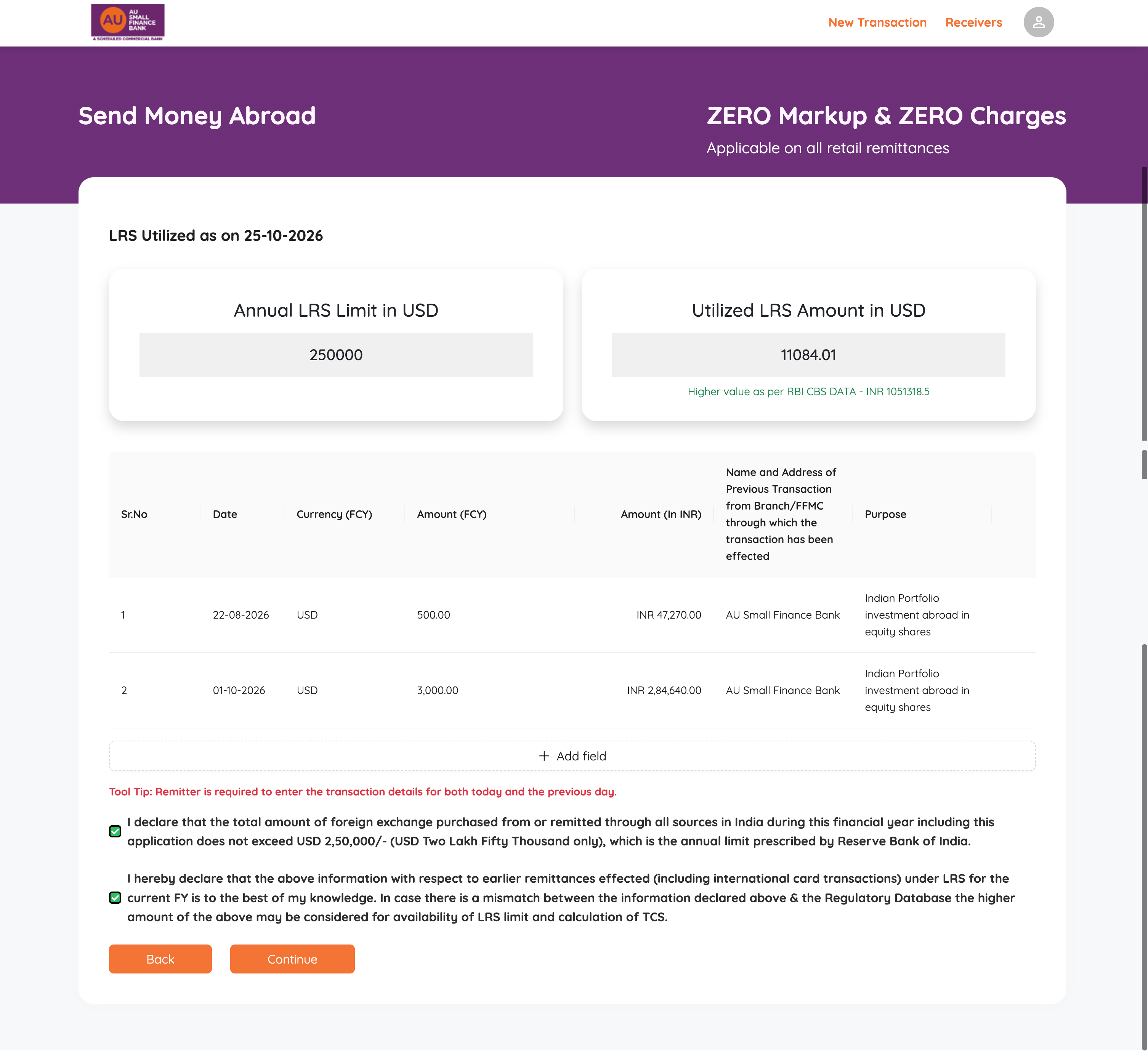
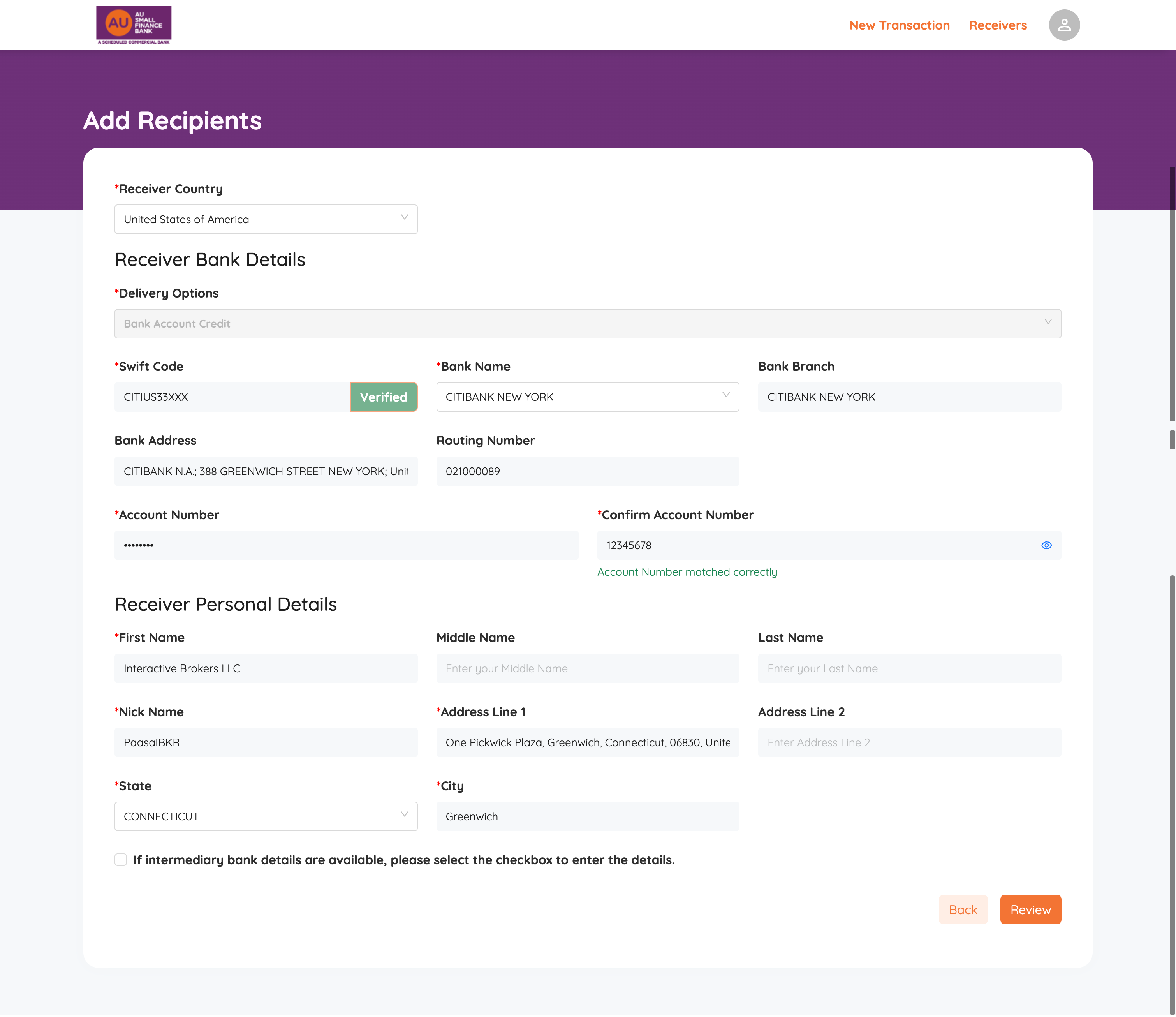
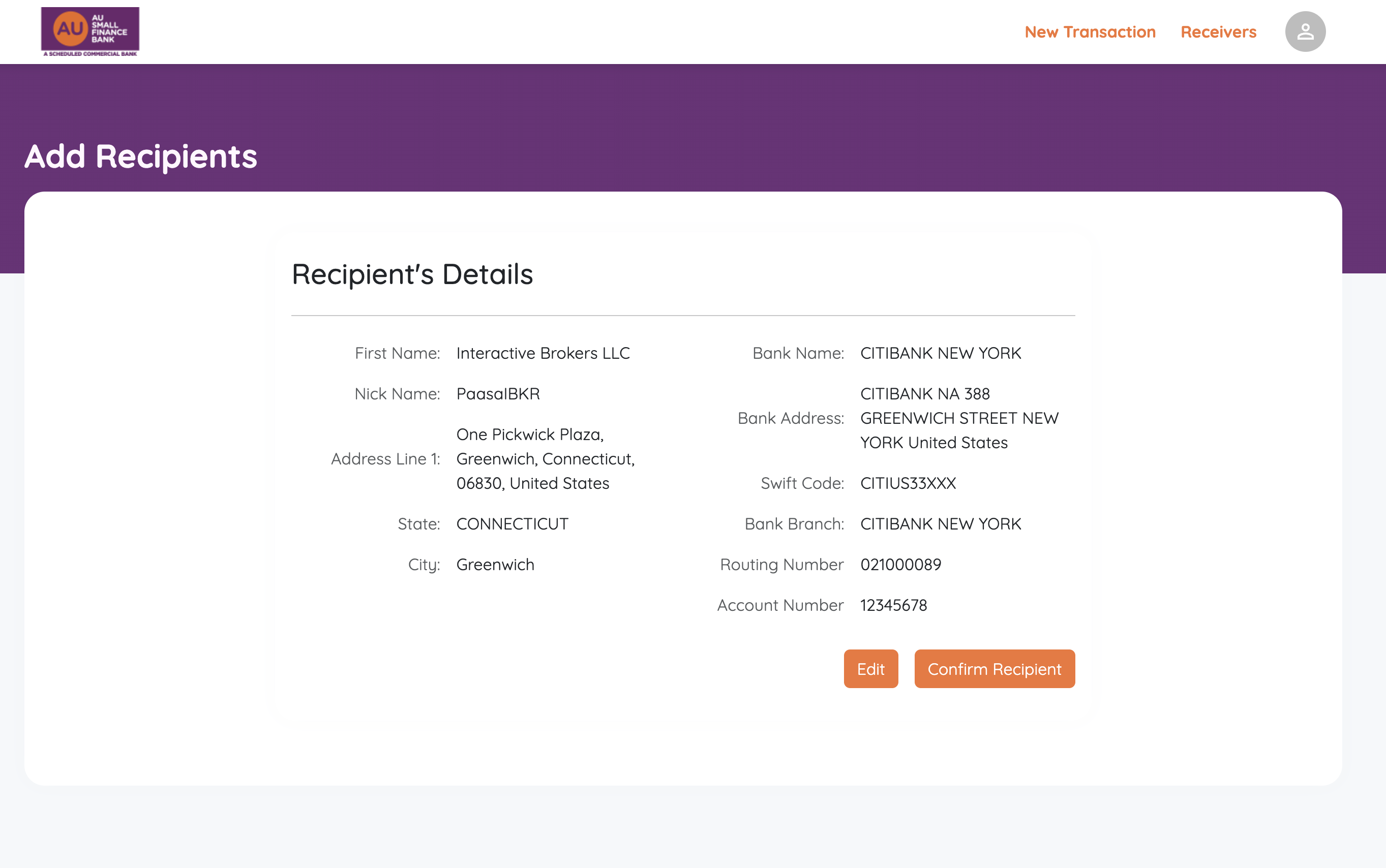
Steps on AU netbanking/App:
Fill in details like below on the add beneficiary page. Except for the account number (which might be different for you), all details will remain the same for all Paasa users.
Document Uploads
Documentary evidence for the purpose of investment: Account Confirmation Letter or payment details screenshot showing beneficiary details.
For Paasa Users (to get your underlying IBKR read-only login):
Call IBKR India support at +91-22-61289888 and state your Paasa account number (starts with a "U").
They will verify your identity and trigger a temporary password to your email.
Use that to log directly into the main IBKR portal, change your password, and Go to Performance & Reports -> Statements -> Other Reports -> Account Confirmation Letter.
Financial Proof (Upload any 1): 1-year non-AU bank statement, latest filed ITR, or Income Tax Assessment Order.
Facing an issue uploading ITR in AU (Invalid Document! file uploading failed)? - Just take a screenshot of the ITR Acknowledgement PDF (or export it to a JPG) and try to upload it as an image instead of a PDF.